Turn a full head
into a startable day.
An AI-assisted daily planner for Android. Capture everything. Choose what fits. One thing at a time.
No account to start · Manual planning available
Four screens. One startable day.
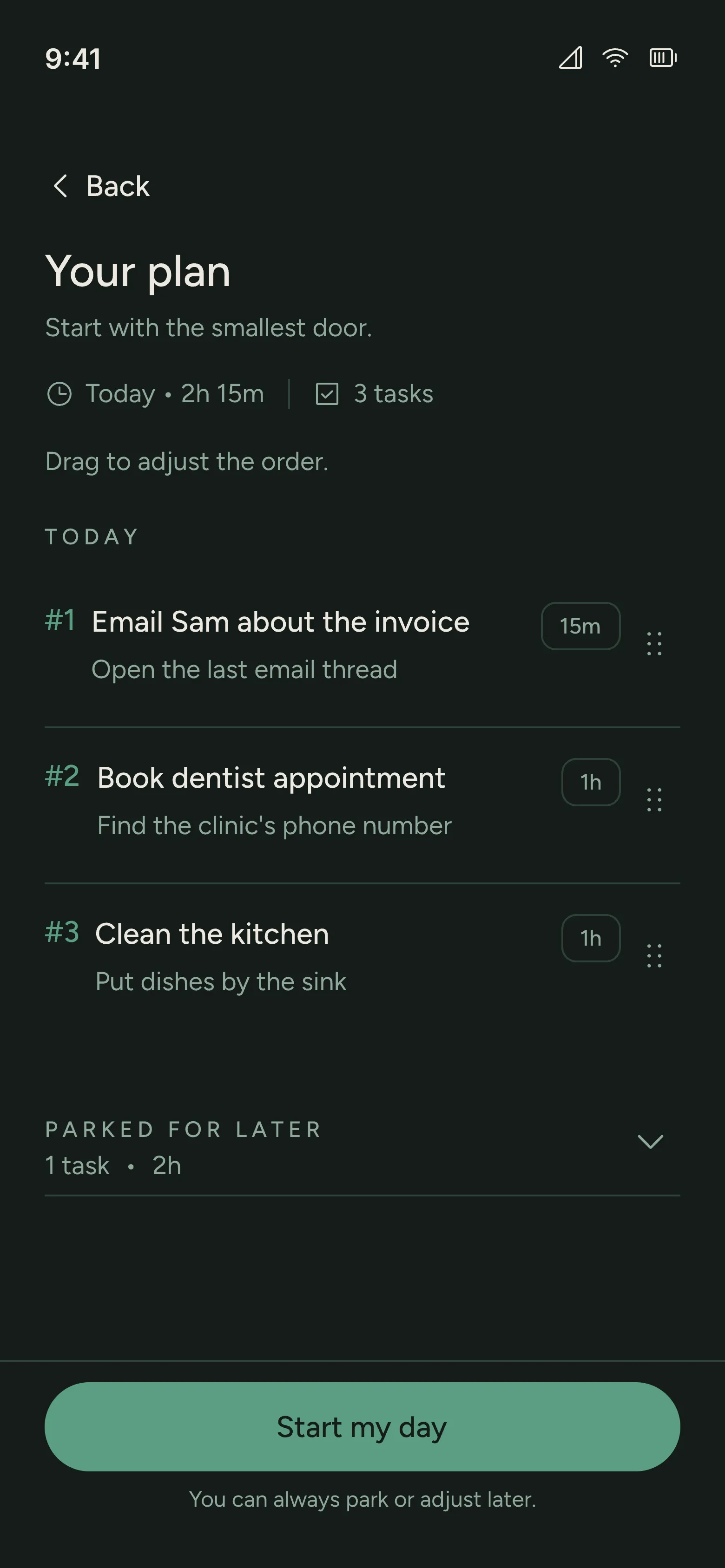
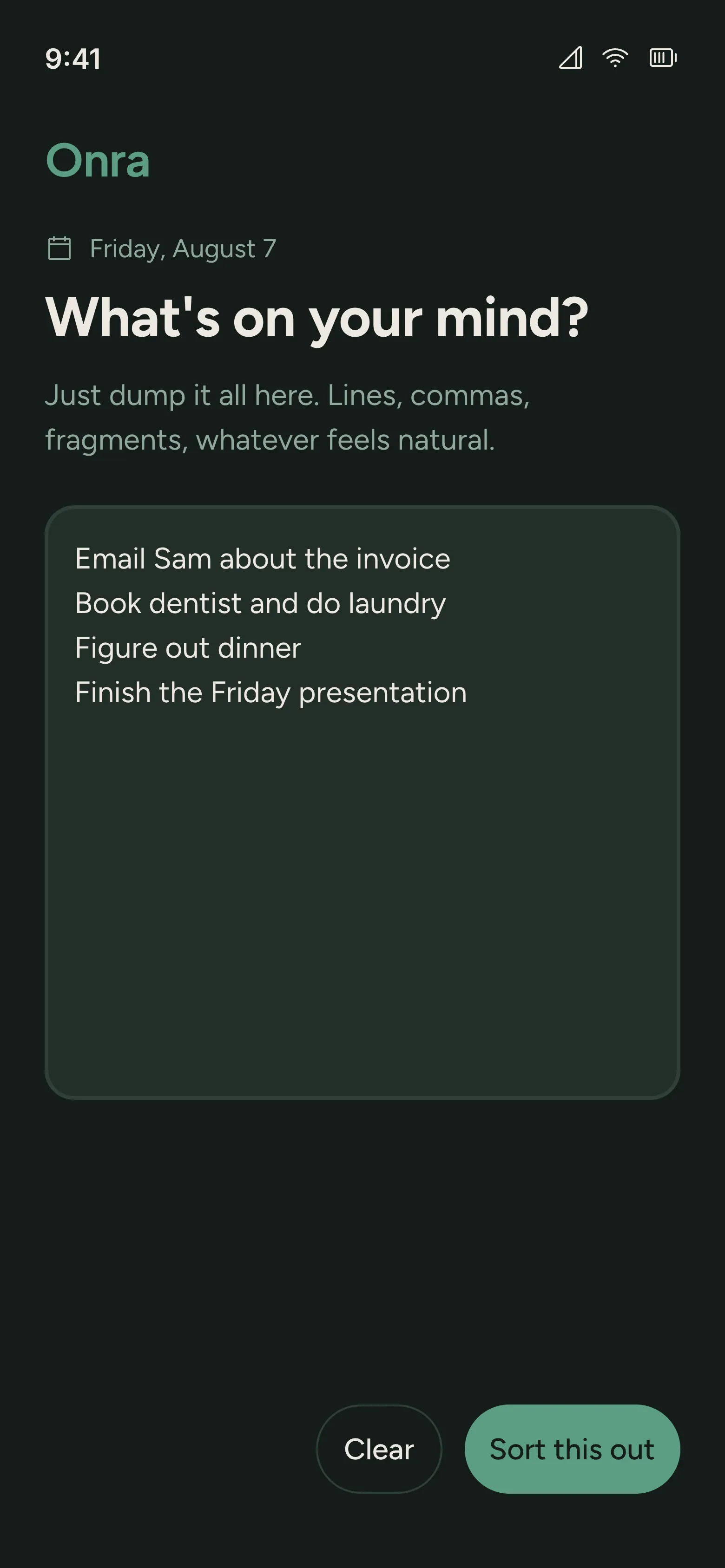
Capture the noise, decide what fits, see what comes next, and start. Each screen has one job.
Put it down.
Decide what fits.
Write lines, fragments, or whatever is taking up space. No sorting or tagging before you begin.
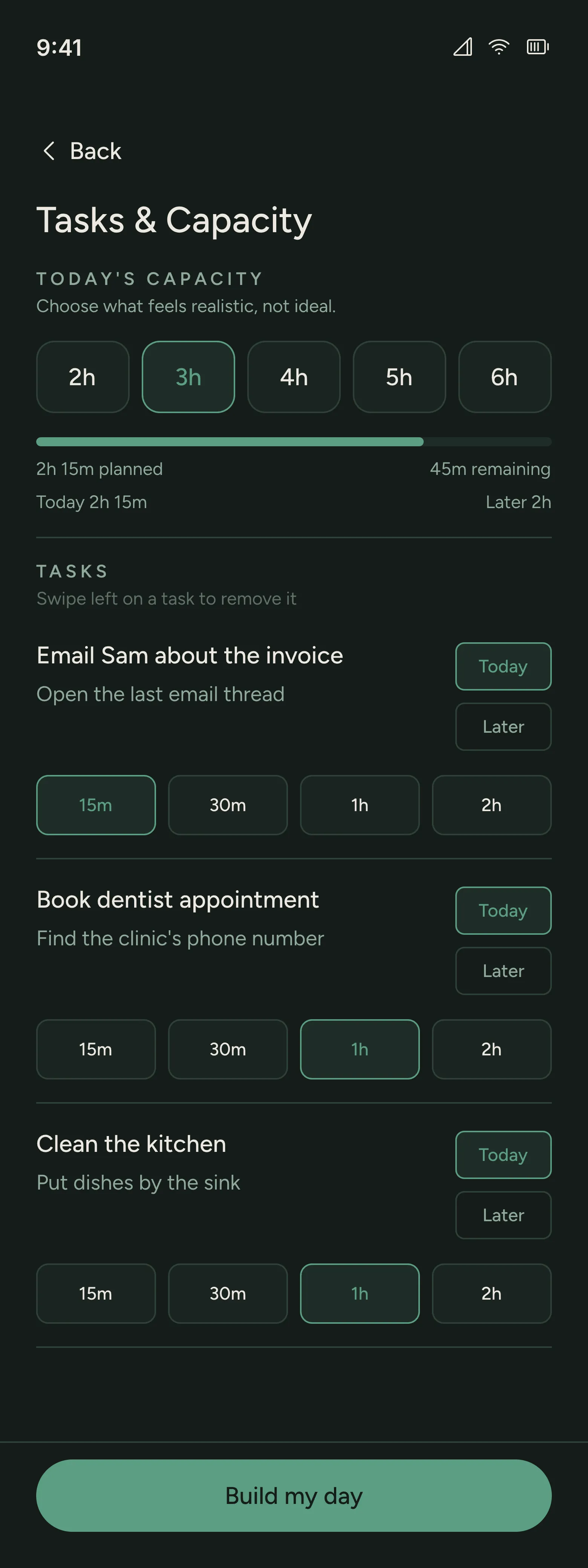
Choose what fits today.
2h, 3h, 4h, 5h, or 6h. Enough room for your actual day, not your most optimistic one.
Estimates stay editable.
Review the suggested duration before adding a task to Today. You keep the final say.
Overflow has somewhere to go.
Move work to Later. A full day does not have to become a longer list.
See the next thing,
not the whole mountain.
An ordered plan, not a timetable. Parked work stays separate.
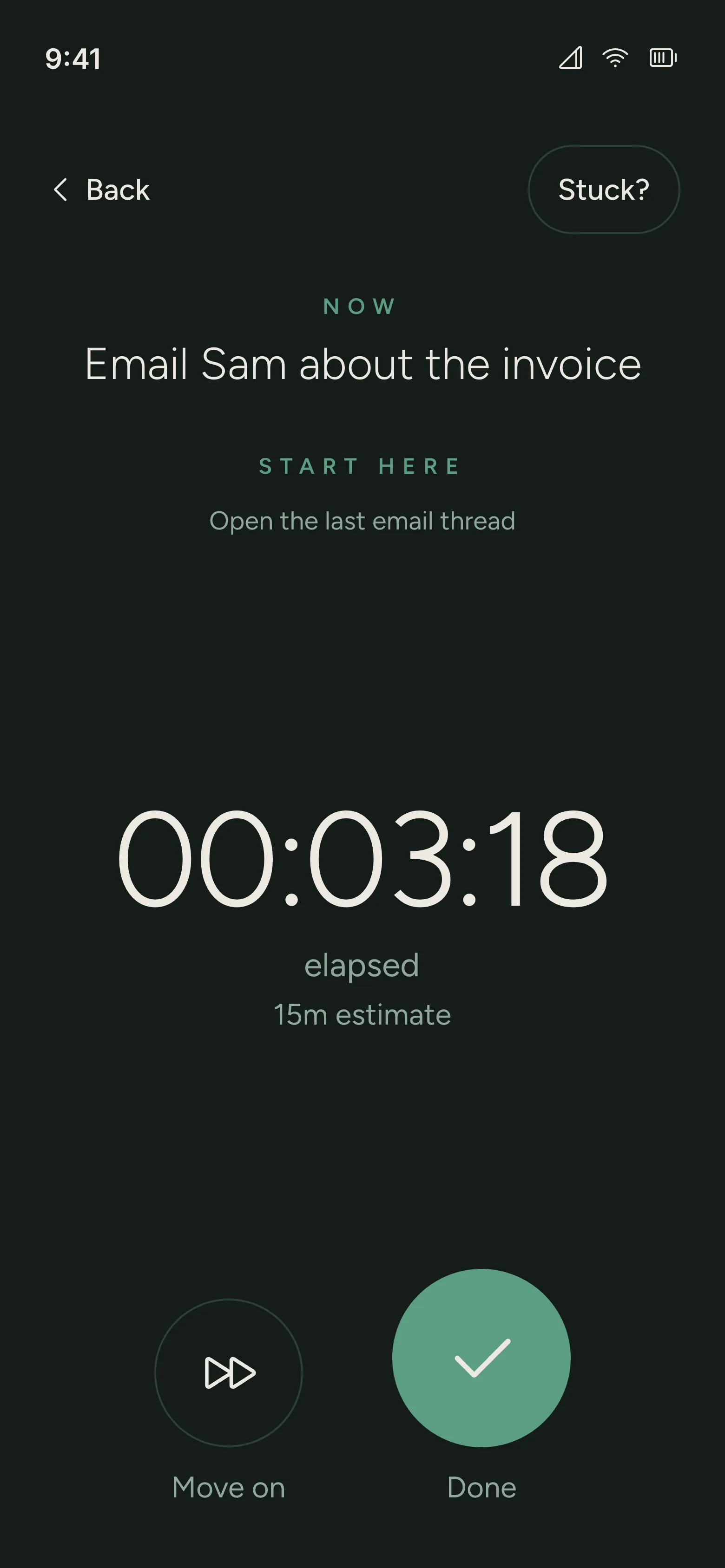
Starter step
Open the last email thread
A count-up timer. Finish or move on when you are ready.
Helpful, then quiet.
AI makes a first pass. You decide what stays, what changes, and what happens next.
YOUR BRAIN DUMP
Email Sam about the invoice
Book the dentist
Figure out dinner
That thing for Friday
Illustrative example
Email Sam about the invoice
Starter step
Open the last email thread
YOU DECIDE
Edit the starter step.
Change the estimate.
Choose Today or Later.
No AI? Still Onra.
Add tasks, set durations, and write starter steps yourself. Manual planning stays available when AI is unavailable.
Enough structure to begin.
Less to keep up with.
No diagnosis required. Use Onra if a full head makes it hard to start.
Your thoughts are
not analytics.
Submitted brain dumps go to Onra’s server for processing and are stored with your plan.
Raw brain-dump text, task titles, starter steps, and AI output stay out of product analytics.
No raw brain-dump text in product analytics.
Start free.
Upgrade when it earns it.
The daily planning loop is useful before you pay. Pro gives you more room for AI-assisted planning and suggestions based on your recent planning.
Prices shown in USD. Purchases will be available in the Android app.
What stays Free
- Daily planning and Focus Mode
- 5 AI plans every day
- Manual planning without AI
Included with Pro
50 AI plans every day
10× the Free allowance.
Suggestions that fit your day
Pro Memory
As you build your planning history, Onra uses your recent plans to suggest a manageable workload and help you decide what belongs in Today or Later.
- Monthly
- $7.99/ month
- Flexible monthly access.
- Annual
- $39.99/ year
- About $3.33 per month, billed yearly.
- Lifetime
- $79.99one-time
- Pro access without a recurring subscription.
Quiet answers.
What Onra does, what it does not do, and what happens when the day changes.
What is Onra?
Onra is an AI-assisted daily planner for Android. Turn a brain dump into tasks, choose what fits Today, park the rest for Later, and focus on one next step. You can also plan manually without AI.
Where can I get Onra?
Onra is built for Android. The public Google Play listing is not available yet. This page will link to it when it is live.
What can I do for free?
Daily planning, Focus Mode, and manual planning are free. The Free allowance includes 5 AI plans every day. Pro increases that allowance to 50.
What is Pro Memory?
Pro Memory uses recent completed planning history to suggest a manageable workload and help you decide what belongs in Today or Later. It uses estimated task durations and completed task counts. It never changes your plan automatically.
Do I need an account to start?
No. Your first planning loop starts anonymously. Save Progress comes later, after Onra has helped you make a plan.
What if AI is unavailable?
Manual planning remains available. Add tasks, set durations, and write starter steps yourself without waiting for AI.
How does daily capacity work?
Choose 2h, 3h, 4h, 5h, or 6h for Today. Review what fits and move work that can wait to Later.
Does Focus Mode use a countdown?
No. The timer counts up from zero, showing elapsed time rather than a deadline.
What happens to tasks that do not fit?
Move them to Later. Parked tasks remain available without adding them to today’s plan.
Is my brain dump sent to analytics?
No. Submitted dumps are processed and stored as product data on Onra’s server. Raw dump text and task content are excluded from product analytics.
A little less to carry.
One thing to begin.
Put everything down. Choose what fits. Start with one small thing.